How to recover a hacked Instagram account
A hacked Instagram account is usually recoverable through Instagram's own identity-verification flow — even if the hacker changed your email and phone. Act fast, prove you're the real owner with consistent evidence, and escalate correctly when the standard route stalls. Here's the exact 2026 playbook.
Hacked Instagram account right now?
Don't wait it out — message us with what happened and we'll help you start the recovery straight away.
We never ask for passwords · Legitimate owners & genuine victims only · No guaranteed outcomes
If you can still receive a login code, reset your password immediately. If the hacker changed your details, use Instagram's "Get more help" → identity-verification route — including the video selfie for accounts with your photos. Never give anyone your password; legitimate recovery uses identity verification, not credentials.
What to do in the first 10 minutes
Speed matters when an Instagram account is hacked, because attackers move quickly to lock you out — changing the password, email, and phone, and enabling their own two-factor. In the first few minutes, try the fastest route while it may still work: open Instagram, tap Forgot password, and request a reset link or code to your email or phone. If it arrives, reset the password at once and you may be back in immediately.
At the same time, check your email for a message from Instagram saying your address was changed. These messages usually contain a "revert this change" link that works for a limited window — using it can undo the takeover in one step. If neither works because the hacker already changed everything, don't panic: the identity-verification flow below is built precisely for that situation.
Use Instagram's account-recovery flow
Instagram's official recovery flow is the route that works when the simple reset doesn't. On the login screen, enter your username and tap Forgot password, then look for "Need more help?" or "Get more help logging in." This starts the support request that doesn't depend on you still controlling the current email or phone — the key fact most people miss. You'll be asked to confirm details Instagram can match against the account.
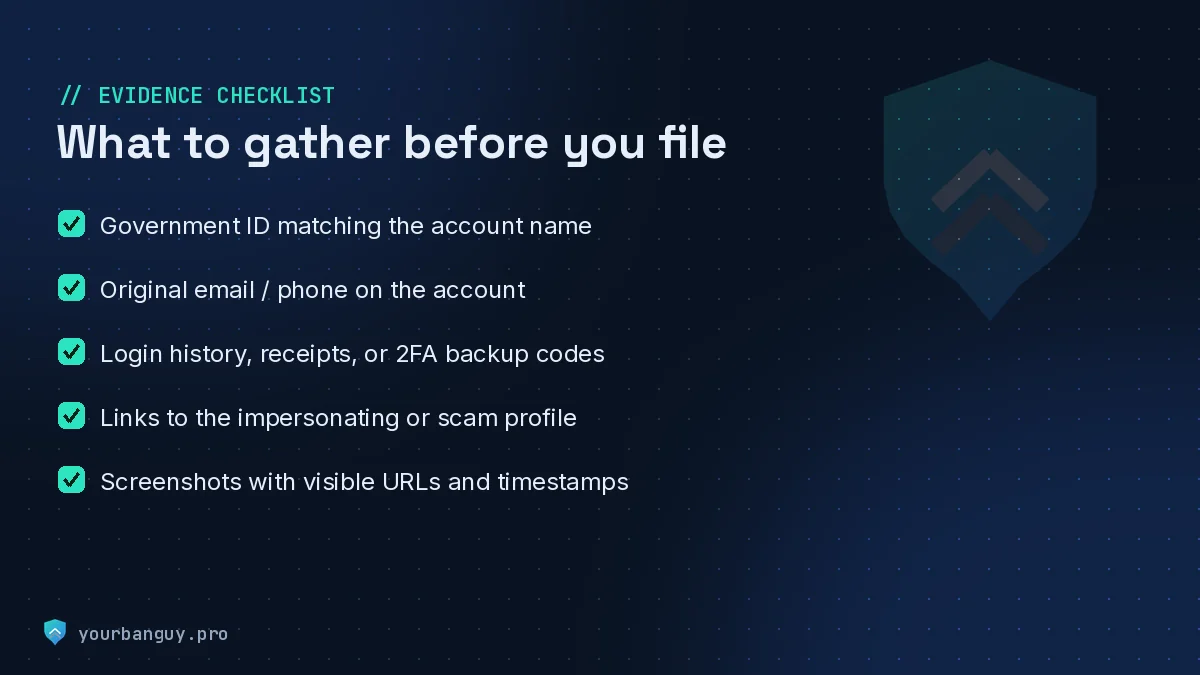
Work from a phone and internet connection you've used with the account before. Instagram weighs recognised devices and locations as positive signals, so a familiar device makes your request more credible and less likely to be auto-rejected. Provide the email address or phone number the account was originally created with, even if it's no longer attached — it helps Instagram tie the request to you as the original owner.
Pass identity verification
Identity verification is the decisive step, and how it works depends on whether your account has photos of you. For accounts with personal photos, Instagram asks for a video selfie: you turn your head in different directions so it can confirm a real person and match you to the images on the profile. This is the strongest proof of ownership available and the route most likely to succeed against a determined hacker.
To pass it cleanly, record in good lighting, follow the on-screen movement instructions exactly, and make sure your face is clearly visible. For accounts without photos of you — business or theme pages — you'll instead confirm account information and the original email or phone used to sign up. In both cases, accuracy is everything: details that match the account speed the review, while inconsistencies trigger rejections and delays.
Stuck in a rejection loop? A specialist mainly helps by getting your evidence consistent and escalating through the right channel — not by any "back-door." If you've been rejected more than once, tell us what happened and we'll assess it honestly.
If the hacker changed your email or phone
Having your email and phone changed feels like the end of the road, but it isn't — Instagram designed identity verification for this exact case. Because the flow confirms who you are rather than what you currently control, the hacker swapping your contact details doesn't block you from it. Start the "Get more help" request, supply the original email or phone the account was created with, and complete the video selfie if the account has your photos.
Watch your original email inbox closely throughout. Instagram often sends recovery links and security codes there even after a takeover, and a single "secure your account" or "revert this change" email can shortcut the whole process. If you have any old confirmation emails from when you first signed up, they confirm the original address to use — a small detail that meaningfully strengthens your case.
Recovering an account with no email access
You can still recover an account even if you've lost access to the original email, because the video-selfie identity check doesn't require it. Begin the support request, choose the option indicating you can't access your email or phone, and lean on the identity-verification route. For accounts with your photos, the video selfie alone can be enough for Instagram to confirm ownership and restore access.
Support the request with anything else that ties you to the account: the approximate date you created it, the original username if it was changed, connected Facebook accounts, and recognisable login history. None of these is individually decisive, but together they build a consistent picture that helps a reviewer rule in your favour.
How to secure the account once it's back
The moment you regain access, lock the account down before the hacker can return. Change the password to something long and unique that you've never used elsewhere, then turn on two-factor authentication — choose an authenticator app over SMS, since SIM-swap attacks can defeat text codes. Open Settings → Security → Login activity and log out every session you don't recognise.
Next, close the doors the attacker may have used. Review and remove any unfamiliar connected apps with access to your account, confirm the email and phone on file are genuinely yours, and check that no unexpected "trusted" devices remain. Finally, save your two-factor backup codes somewhere safe offline. These steps turn a recovered account into a hardened one and make a repeat takeover far harder.
When to get specialist help
Most people can recover a hacked Instagram account themselves with the steps above — and you should try first. It makes sense to bring in specialist help when you've been auto-rejected several times despite accurate information, when the account is high-value (a business or large following) and time-sensitive, or when something about the case is unusual and you're unsure which route applies. A good specialist adds value by preparing your evidence so it's consistent and escalating through the correct channel when the standard flow stalls.
Be cautious about who you trust. A legitimate recovery service will never ask for your password or two-factor codes, only assists the genuine account owner, works entirely through Instagram's official process, and is honest that no outcome is guaranteed. Anyone promising a "guaranteed" recovery or claiming a back-door is running a scam. If you'd like an honest assessment of your situation, message our recovery team — we'll tell you plainly whether and how we can help, and we won't take a case we can't move.
Frequently asked questions
How long does it take to recover a hacked Instagram account?
It depends on how the account was taken and how clean your evidence is. If you can still receive a code at your email or phone, recovery can take minutes to hours. If the hacker changed your contact details and you need full identity verification — the video-selfie route — it typically takes anywhere from a day to a couple of weeks, depending on Instagram's review queue. Submitting accurate, consistent information the first time is the single biggest factor in moving faster.
Can I recover my Instagram account if the hacker changed the email and phone number?
Yes, usually. Instagram built its identity-verification flow for exactly this scenario. Instead of relying on the current email or phone, you request support, confirm the email or phone originally on the account, and — for accounts with photos of you — verify with a video selfie that Instagram matches against your profile images. For accounts without personal photos, you confirm account details and the original contact information. The hacker changing your details does not lock you out of this route.
What if Instagram keeps rejecting my recovery request?
Automated rejections are common and rarely final. They usually mean the information didn't match, the video selfie was unclear, or the wrong route was used. Try again from a device and location you've used before, make sure every detail matches the account exactly, retake the video selfie in good lighting following the instructions precisely, and use the same original email throughout. Persistence with cleaner, consistent evidence is what turns repeated rejections into a successful recovery.
Will Instagram or any service ask for my password to recover the account?
No. Instagram never asks for your password to verify ownership, and no legitimate recovery service will either. The entire recovery process is built on identity verification — codes, original contact details, and video selfies — not on handing over credentials. If anyone asks for your password or two-factor codes to 'recover' your account, it is a scam. Walk away.
How do I stop my Instagram account from being hacked again?
Once you're back in, immediately change your password to something unique, turn on two-factor authentication (an authenticator app is stronger than SMS), and review 'Login activity' to log out unknown sessions. Remove any suspicious third-party apps with account access, confirm the email and phone on file are yours, and save your two-factor backup codes somewhere safe. These steps close the doors a hacker used and make re-entry far harder.
Is it safe to use a hacked-Instagram recovery service?
It can be, if the service is legitimate — meaning it never asks for your password, only assists the genuine account owner, works through Instagram's official flow, and is honest that no outcome is guaranteed. Avoid anyone promising 'guaranteed' recovery, requesting credentials, or claiming a back-door. A trustworthy specialist mainly adds value by preparing your evidence correctly and escalating properly when the standard flow stalls.